From complexto clear.

Model processes visually or as structured text. Cubetto arranges, validates and visualises – you keep the final say.

For macOS · BPMN, EPC and more · Open export formats
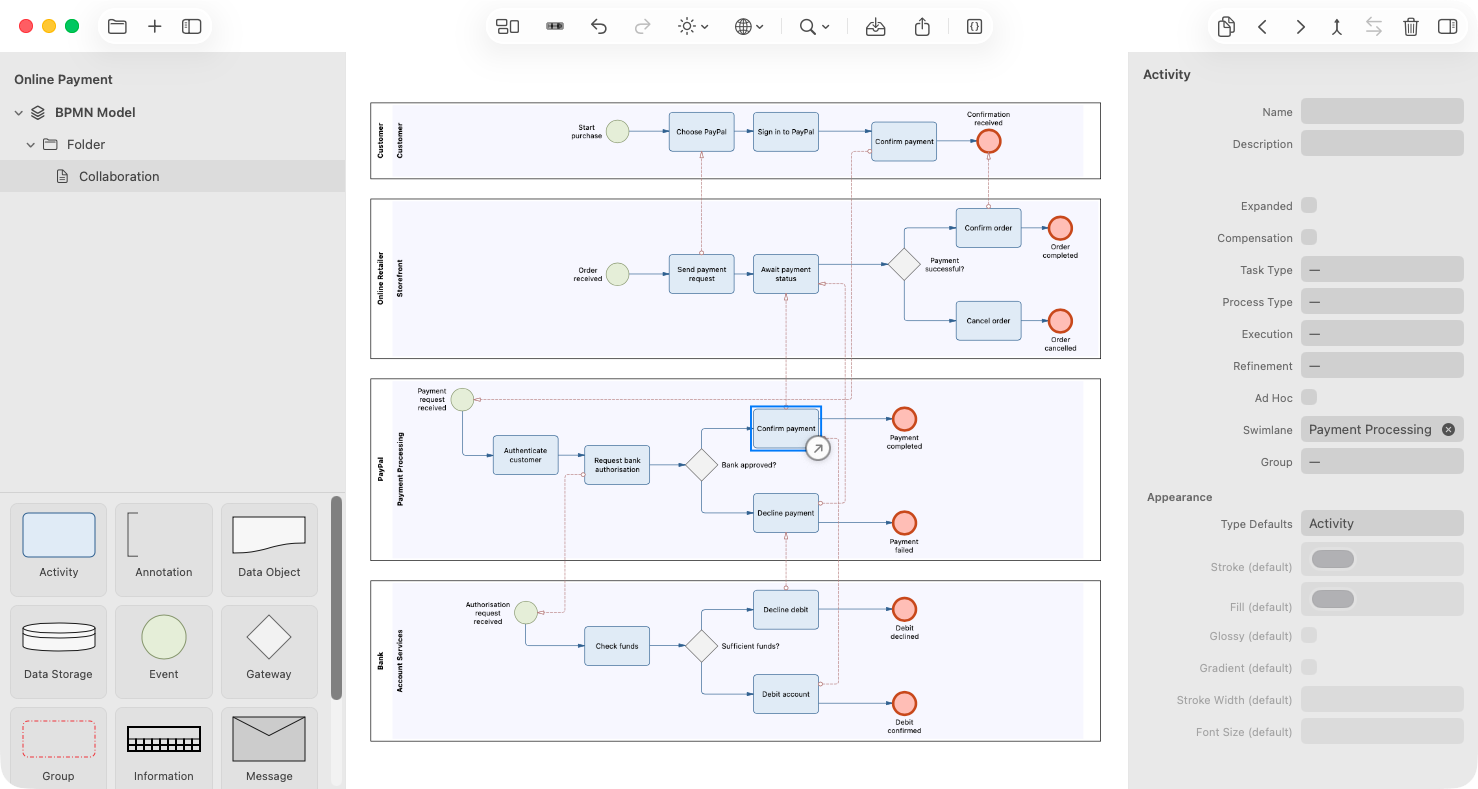
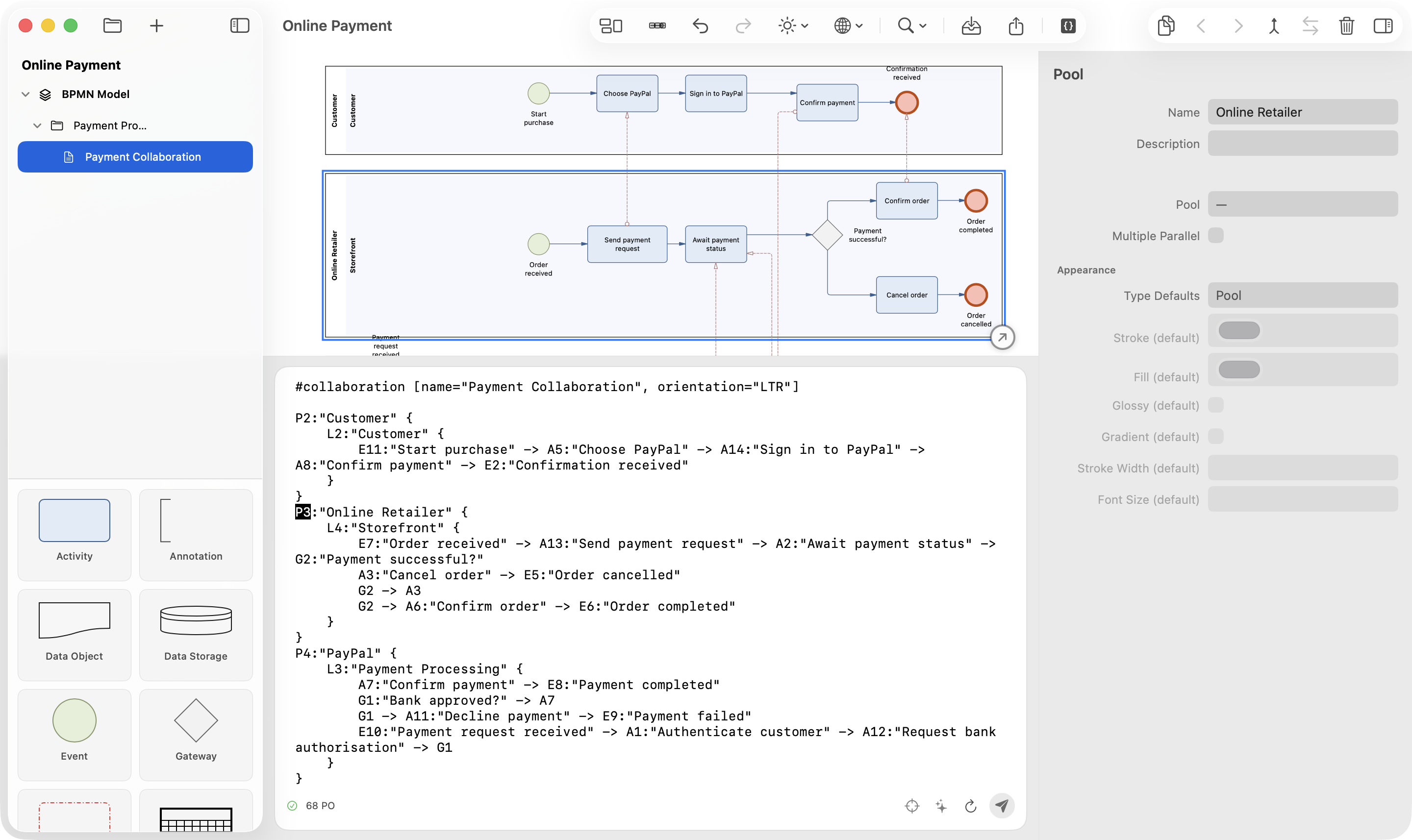
Cubetto 7 workspace with project structure, BPMN model, CubeText, AI assistant and inspector
CubeText · Payment Collaboration valid
P2:"Online Retailer" { L4:"Storefront" { E7:"Order received" -> A13:"Send payment request" -> A2:"Await payment status" -> G2:"Payment successful?" } }
The diagram and CubeText describe the same Payment Collaboration model.

Cubetto in 20 seconds

Four building blocks. One consistent model.

Canvas

Work directly on the canvas.

Place, connect and refine elements in the inspector.

CubeText

Structure as CubeText.

Readable, editable and independent of visual presentation.

AI assistance

AI proposes. You decide.

Validate first, then deliberately apply it to the model.

Exchange

Bring in. Edit. Share.

Import BPMN XML and export in six useful formats.

Auto layout

You model the content. Cubetto handles the layout.

Your content. Cubetto's layout.

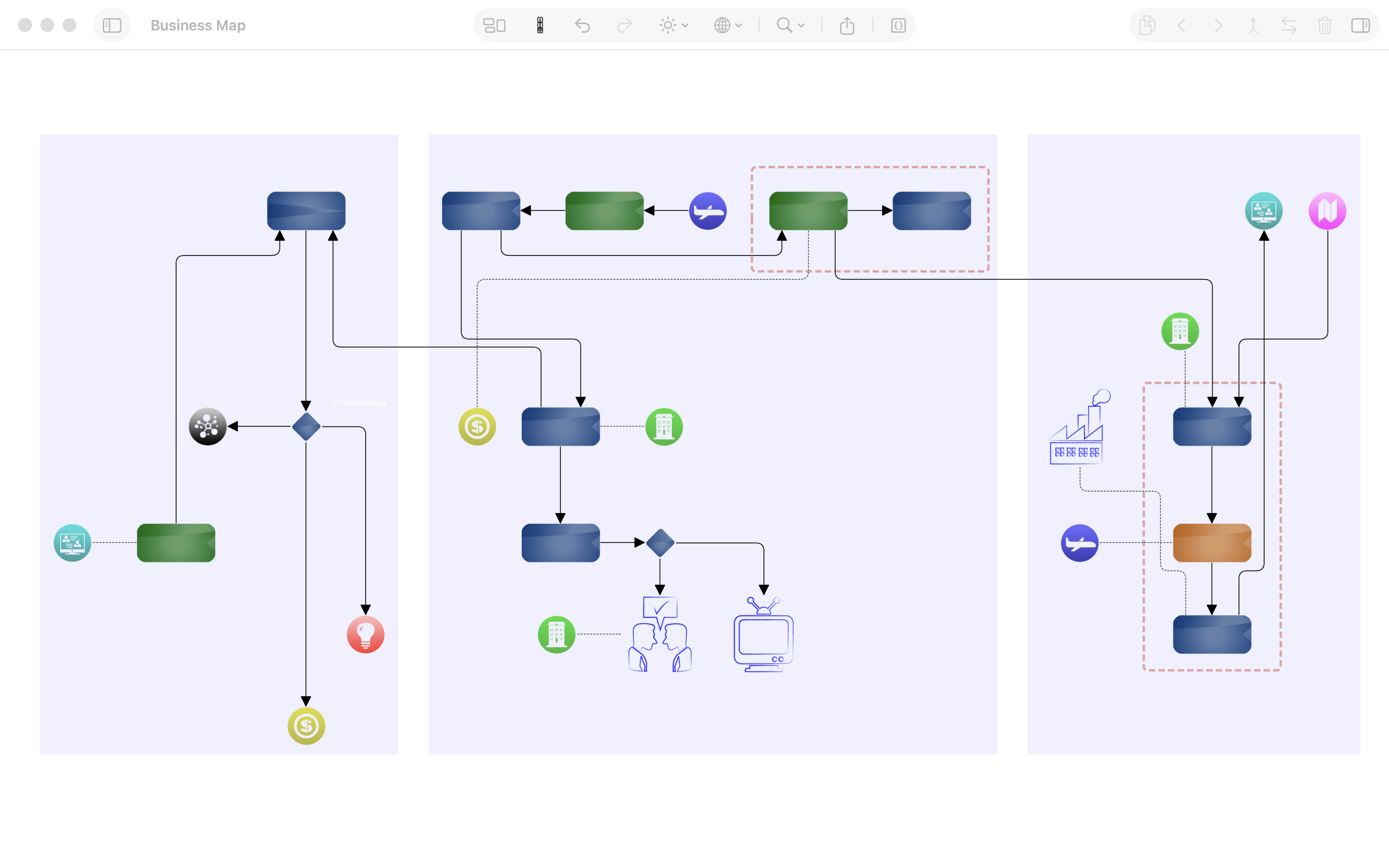
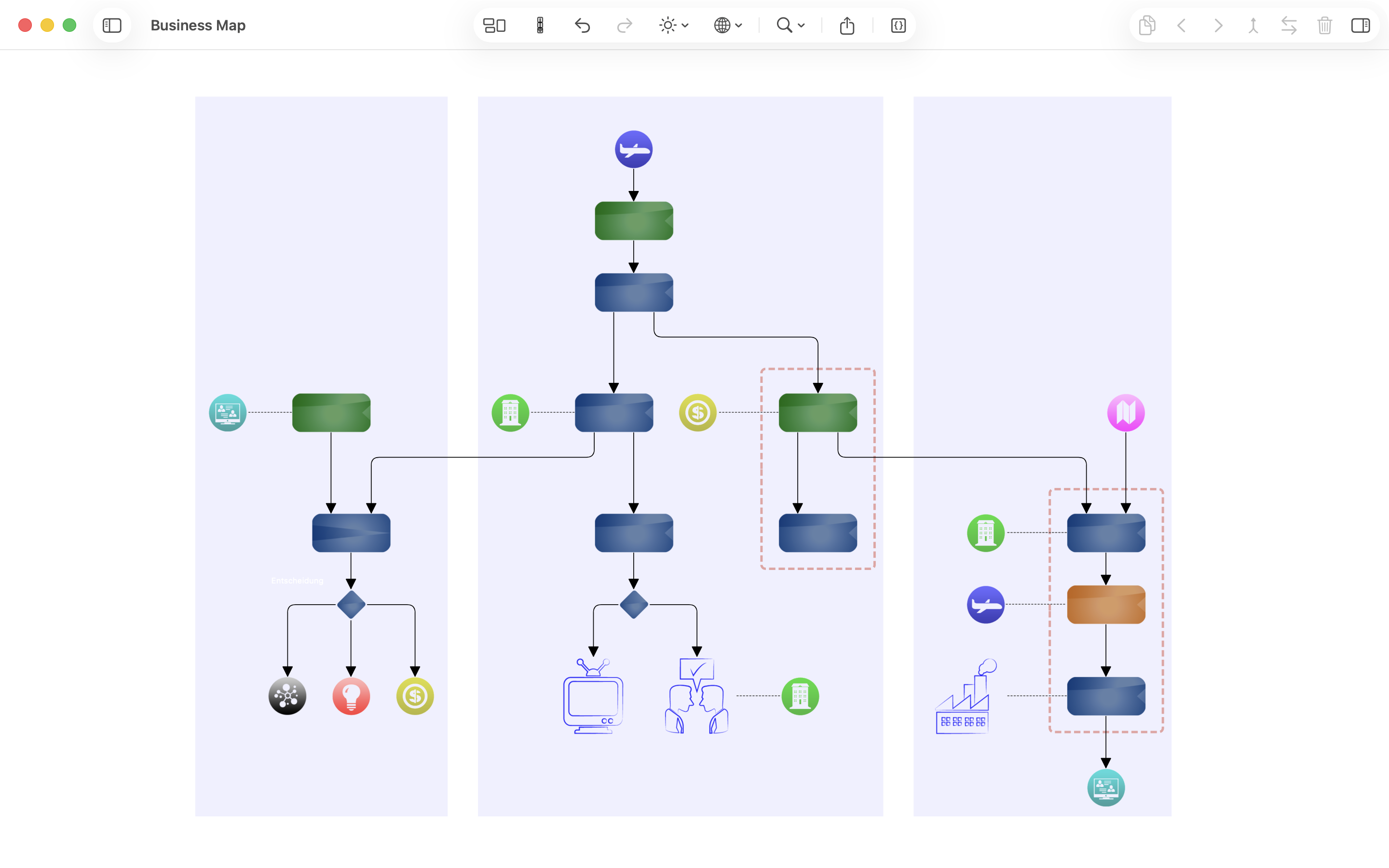
Auto layout is optimised for every notation. Cubetto understands its structure, arranges objects and keeps even complex models readable.
  • Manual refinement stays possible.Move individual objects whenever a presentation needs it.
  • Edges route themselves.Cubetto finds a clear path for every connection.
BeforeBusiness Map model before auto layout with an irregular arrangement and long, crossing connections
After auto layoutThe same Business Map model after auto layout with ordered columns and a clear reading direction
The same model before and after auto layout.

CubeText

Model, don't draw.

A diagram in Cubetto is more than its drawing. CubeText exposes the underlying objects, relationships and properties as compact, editable text.
  • Prepare larger structural changes clearly
  • Review models as readable text
  • Use the same foundation for manual and assisted changes
CubeText editor showing a structured BPMN model description
Model structure in a compact, verifiable form.

AI assistant

Ask the model.

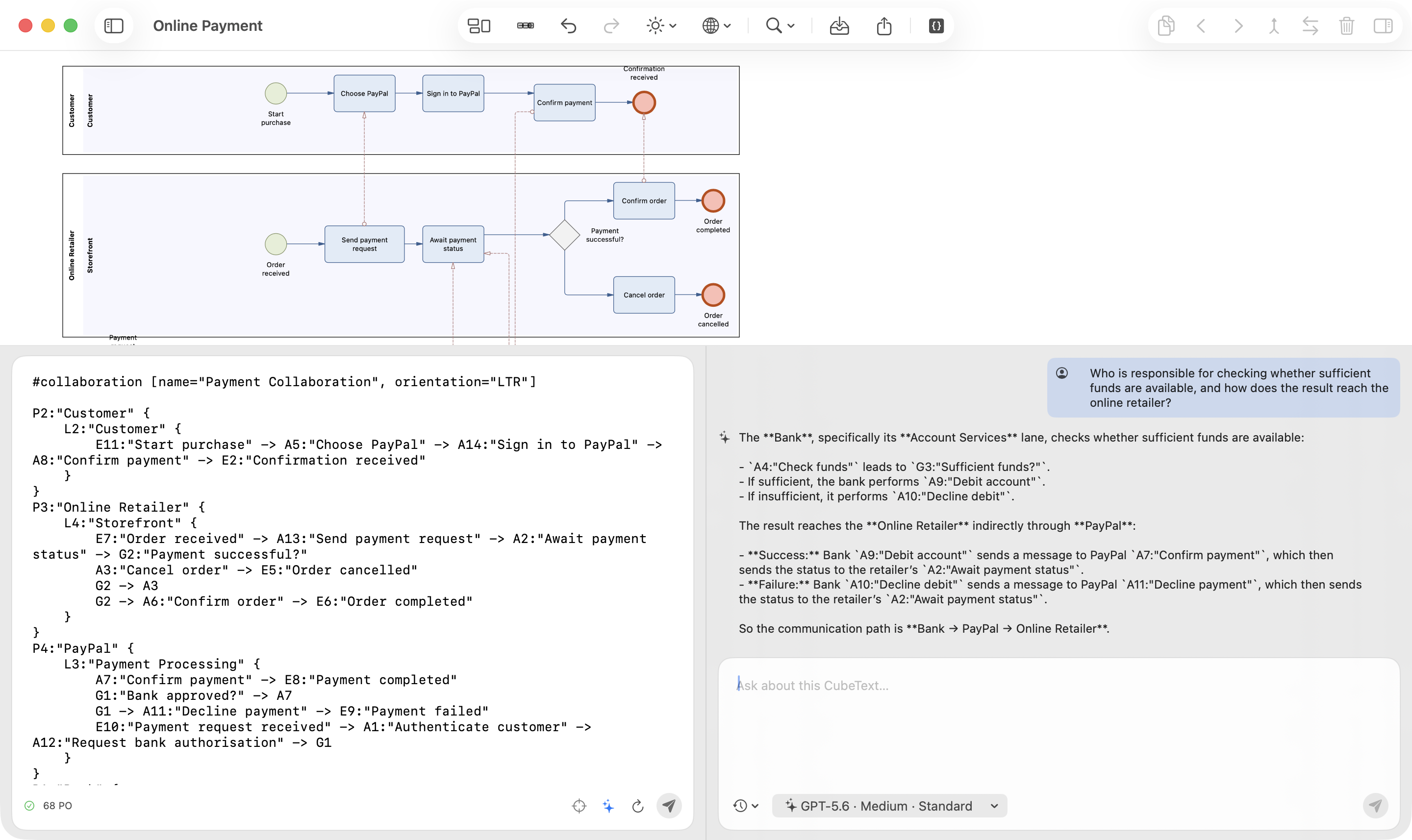
The assistant uses the current CubeText as context. It answers questions about responsibilities, flows and dependencies, grounding every answer in the model objects involved.
  1. 1
    Questionin model context
  2. 2
    Evidenceobjects and paths
  3. 3
    Changesonly with approval
AI assistant answering a responsibility question and tracing the communication path through the model
Responsibility and communication paths explained directly from the model.
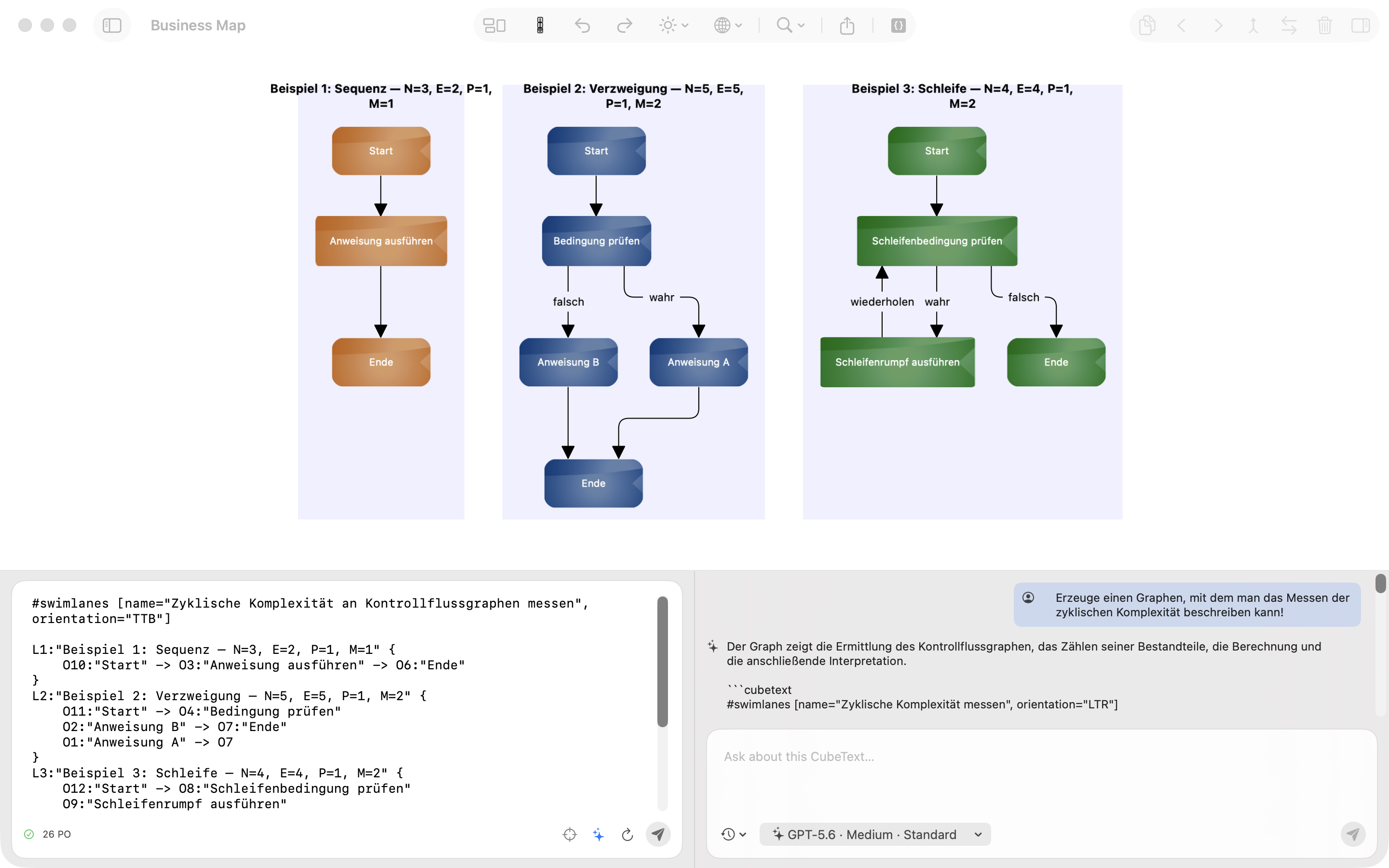
Cubetto 7 showing three control-flow graphs for a sequence, branch and loop together with the related AI response and CubeText description
The AI creates three traceable control-flow examples as CubeText and diagrams.

Model Context Protocol

Invisible and quiet. Beautiful by design.

Via MCP, agents can use Cubetto 7 as a modelling and rendering engine. Cubetto validates the structure, applies the notation, arranges the elements and renders a traceable model.
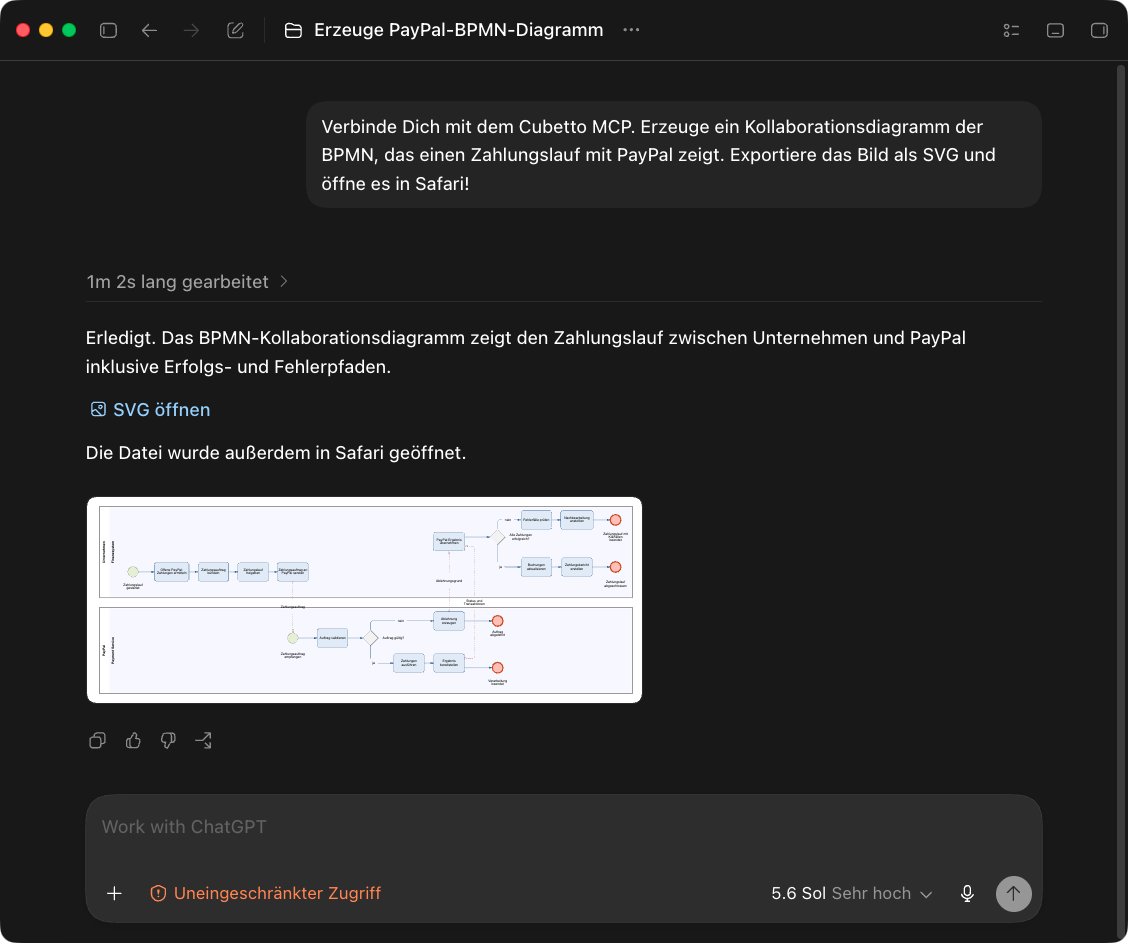
Not an image from an image generator.The result consists of objects, relationships and properties.
  • PDF
  • PNG
  • JPG
  • SVG
  • Markdown
  • BPMN XML
ChatGPT uses Cubetto MCP to create a BPMN collaboration diagram for a PayPal payment flow
A real MCP run: the prompt becomes a structured BPMN model with an SVG output.

Notations

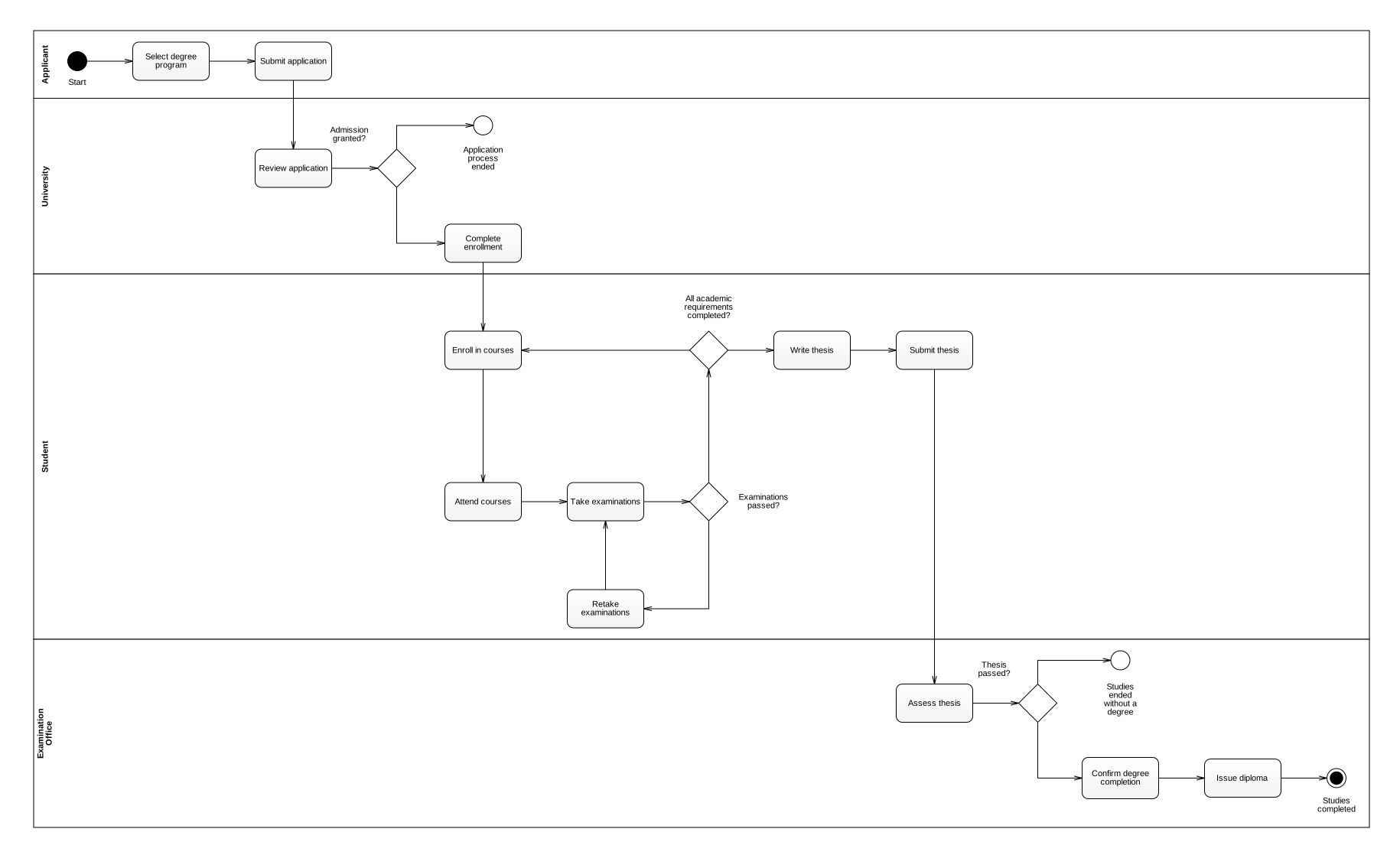
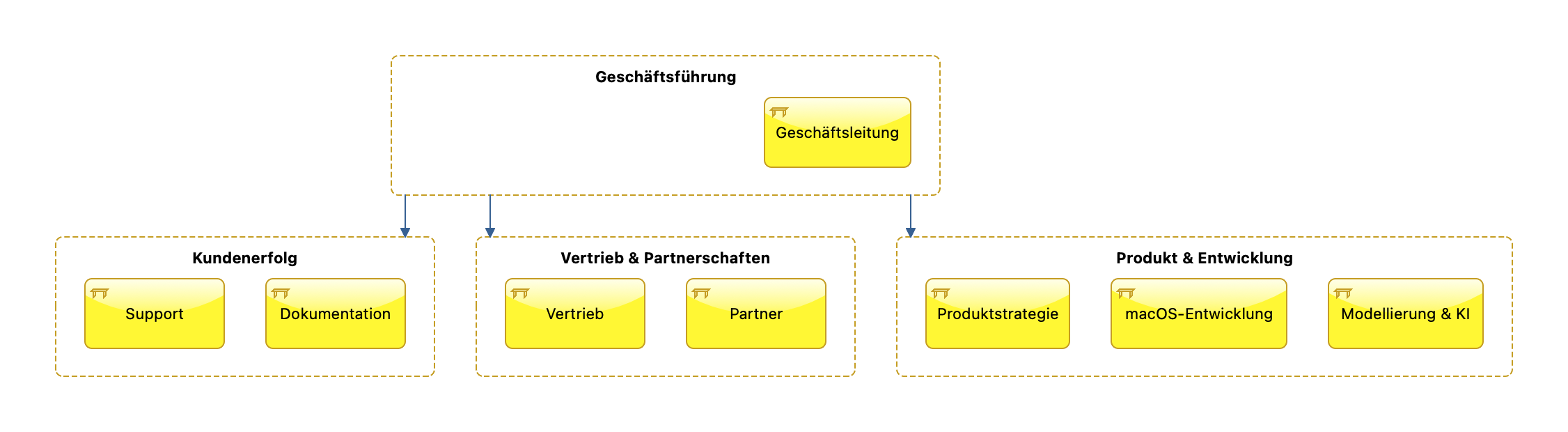
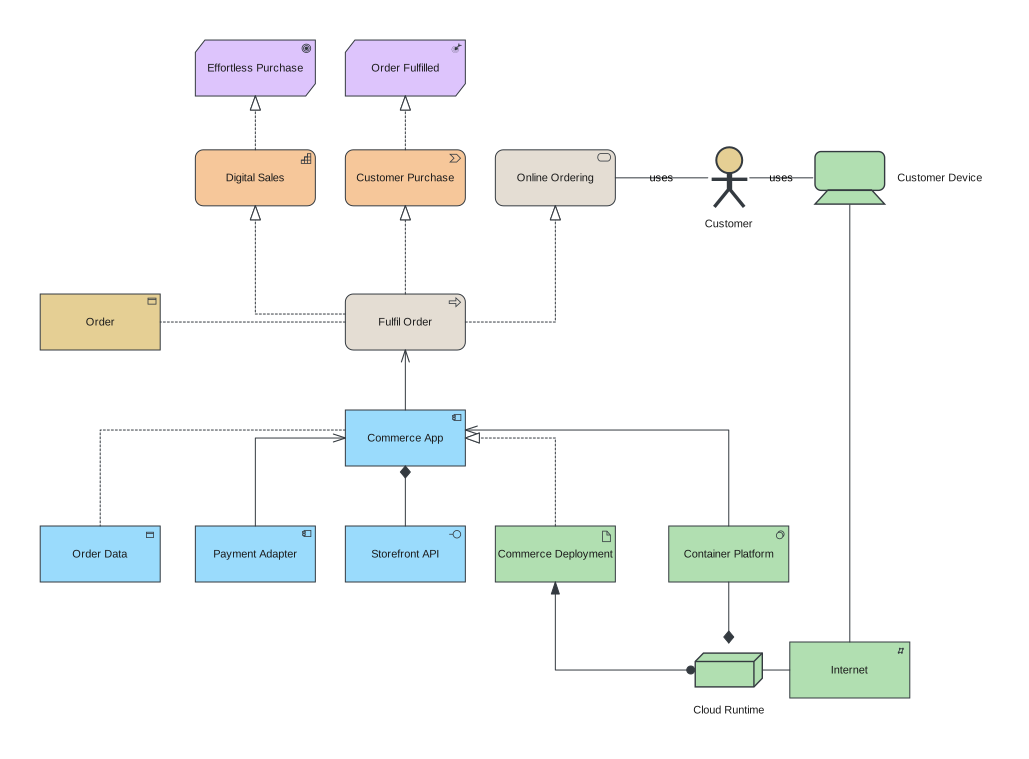
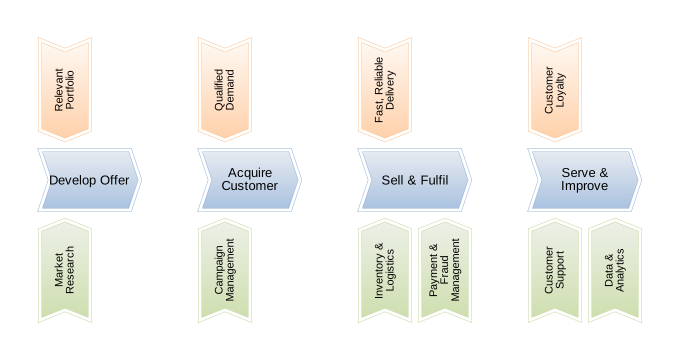
The right view for every process.

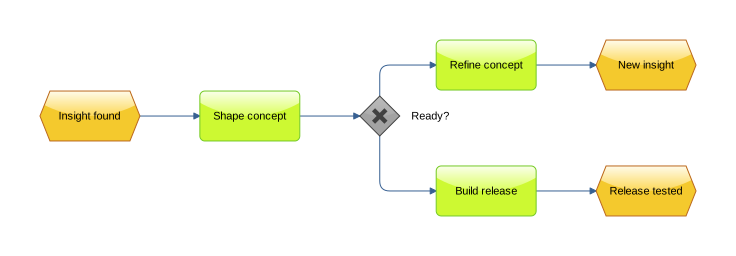
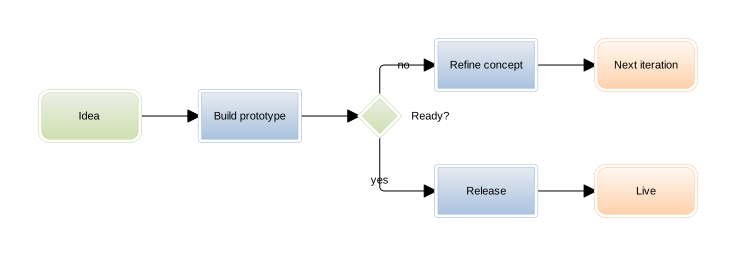
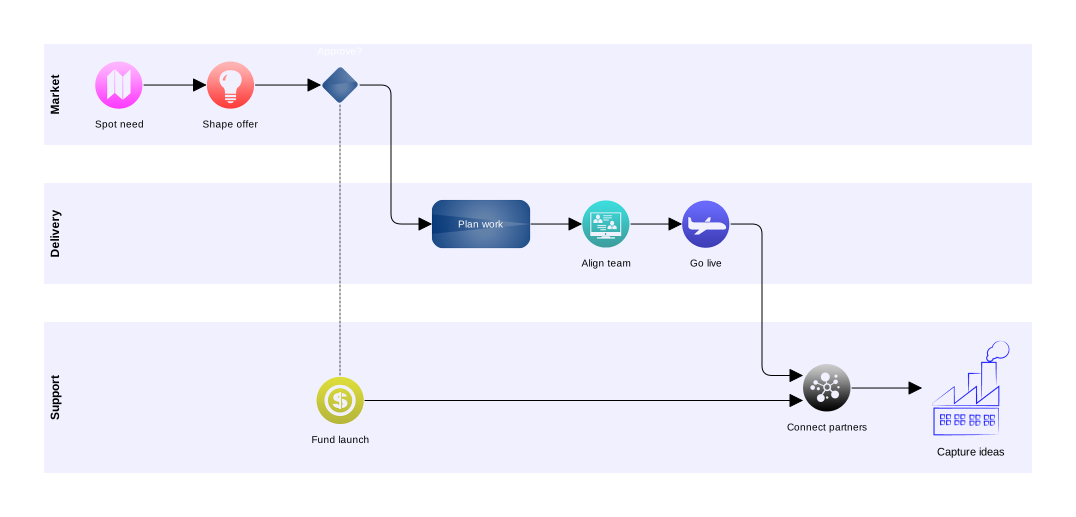
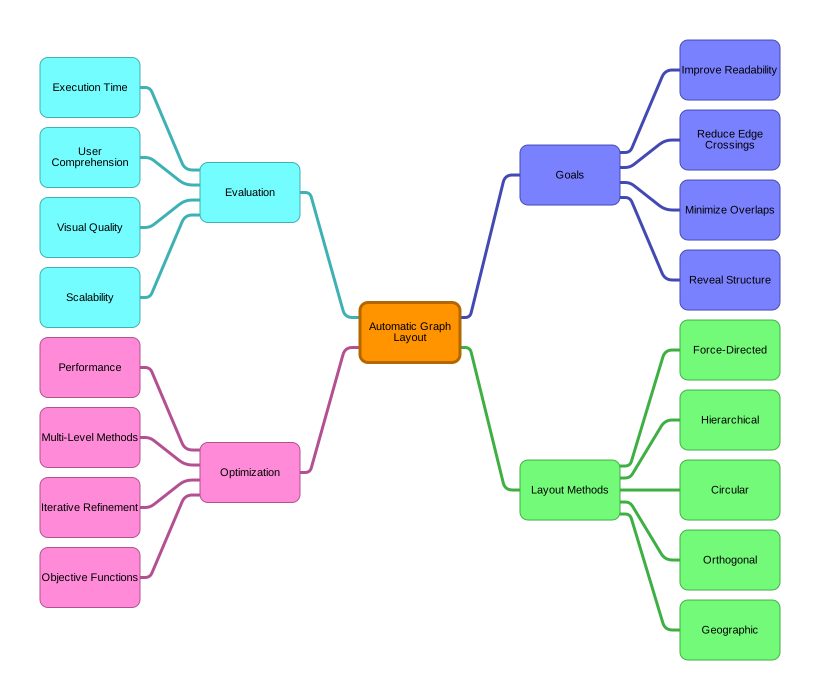
From precise BPMN collaboration to open mind maps, Cubetto supports multiple perspectives within one project structure.

Click an image, or focus it and press Enter, to inspect the details.
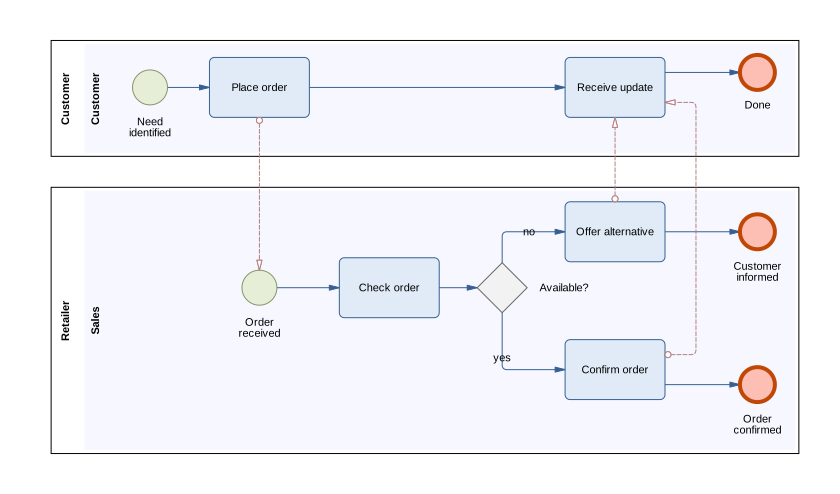
Also included: process maps.

Exchange

Use what you have. Pass it on in the right format.

Cubetto 7 reads every model created with Cubetto 5 and imports BPMN XML as a new presentation. Inspect the result on the canvas, then export diagrams in the formats your workflow needs.
  • PDF
  • PNG
  • JPG
  • SVG
  • Markdown
  • BPMN XML
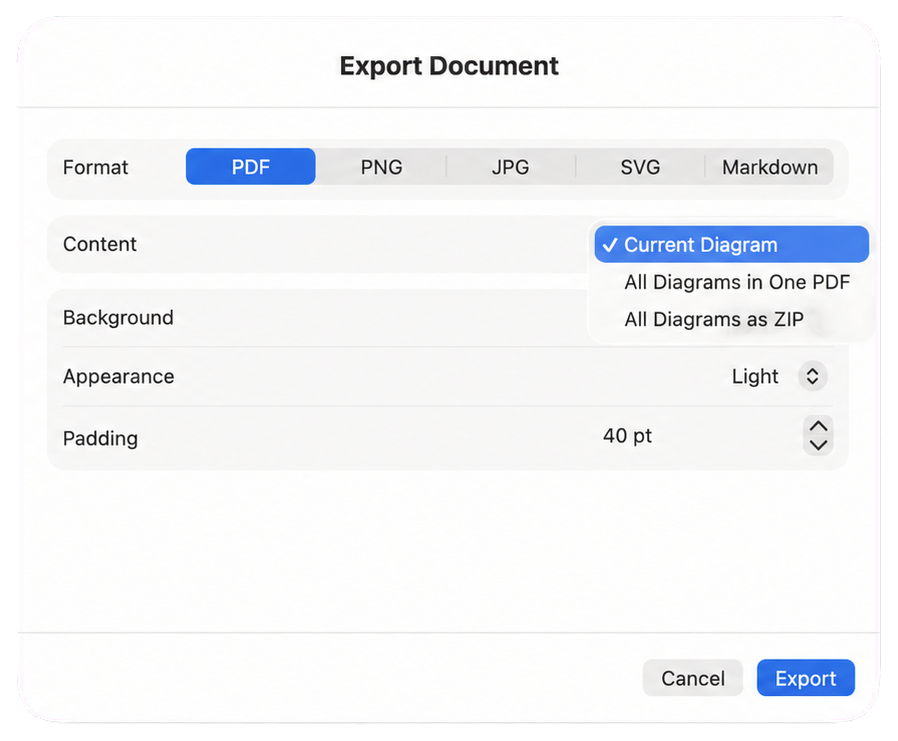
Isolated Cubetto 7 export dialog with PDF selected and the export scope menu open
PDFExport one diagram or combine several diagrams.
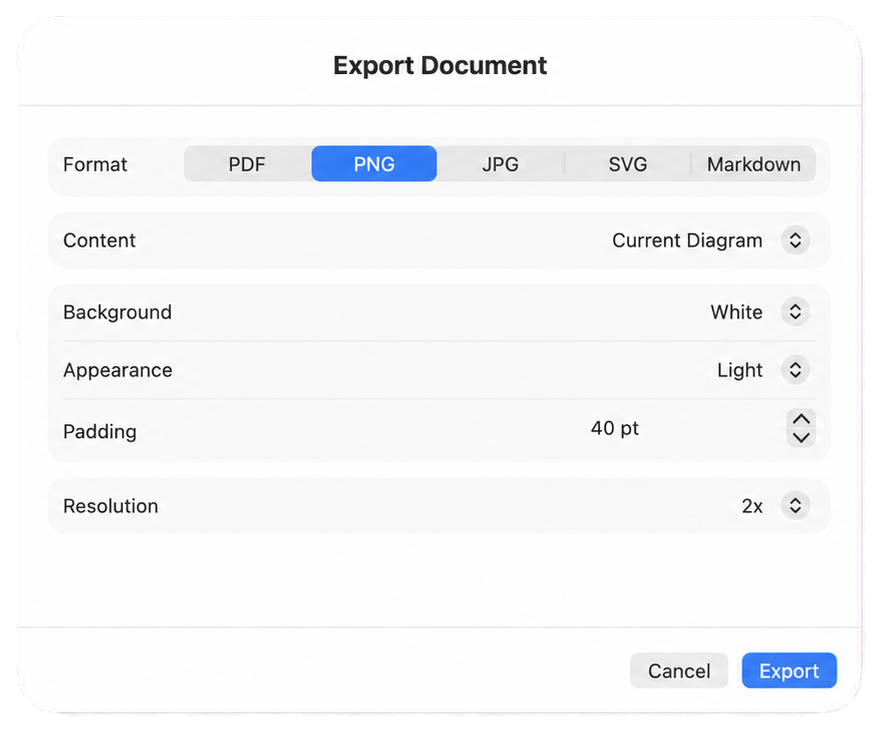
Isolated Cubetto 7 export dialog with PNG selected, a white background and double resolution
PNGChoose background, appearance, padding and resolution.
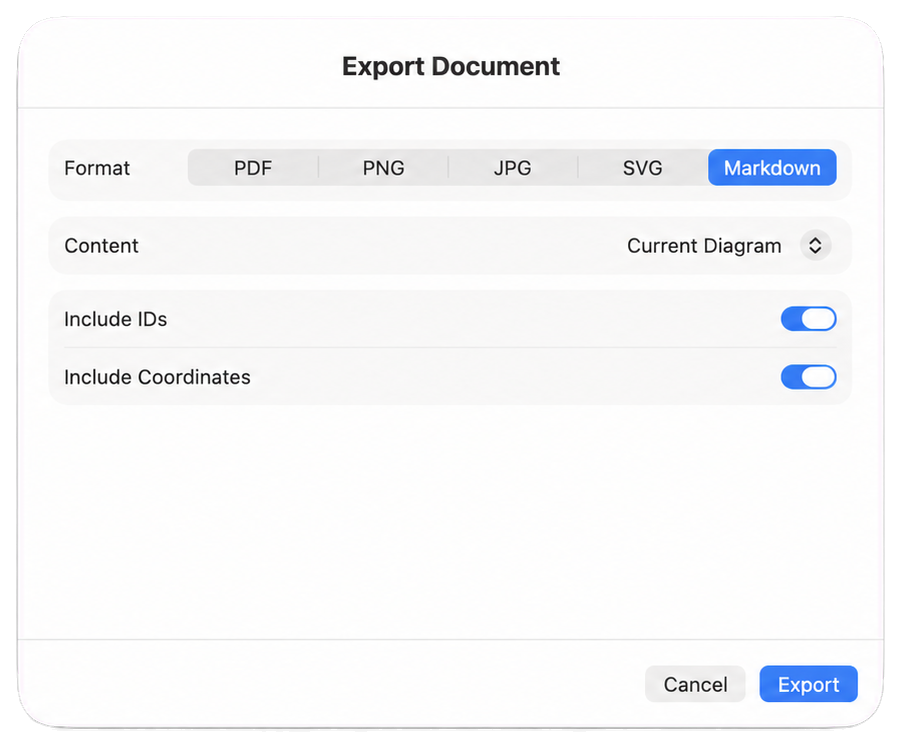
Isolated Cubetto 7 export dialog with Markdown selected and IDs and coordinates enabled
MarkdownInclude or omit IDs and coordinates as needed.

For existing mobile workflows

Cubetto 5 remains available on iPad and iPhone.

While Cubetto 7 starts on the Mac, the established mobile version remains available in the App Store.

Cubetto 5 in the App Store
Cubetto 7 app icon

Professional process modelling. Coming to the Mac App Store.

Cubetto 7 is currently in App Store review.

Release to follow